Turn your team into your brand's voice on LinkedIn.
Employees plan their LinkedIn posts with AI, amplify each other and see who engages with their content. More reach for your company, through the profiles people actually follow.
Why employee advocacy
People follow people. Not company pages.
On LinkedIn, personal profiles feel more approachable than any company page. Community makes it easy for your team to post regularly in their own style.
01 · Visibility
More reach for your topics
Every team member brings their own network. Topics planned together reach more people.
02 · Consistency
Post regularly without the effort
AI drafts in your own writing style, fixed time slots and a queue you can fill in advance.
03 · Leads
Contacts with genuine interest
Anyone who engages with the posts shows up as a contact. That starts conversations with people who already know your brand.
Features
What Community does and what it looks like.
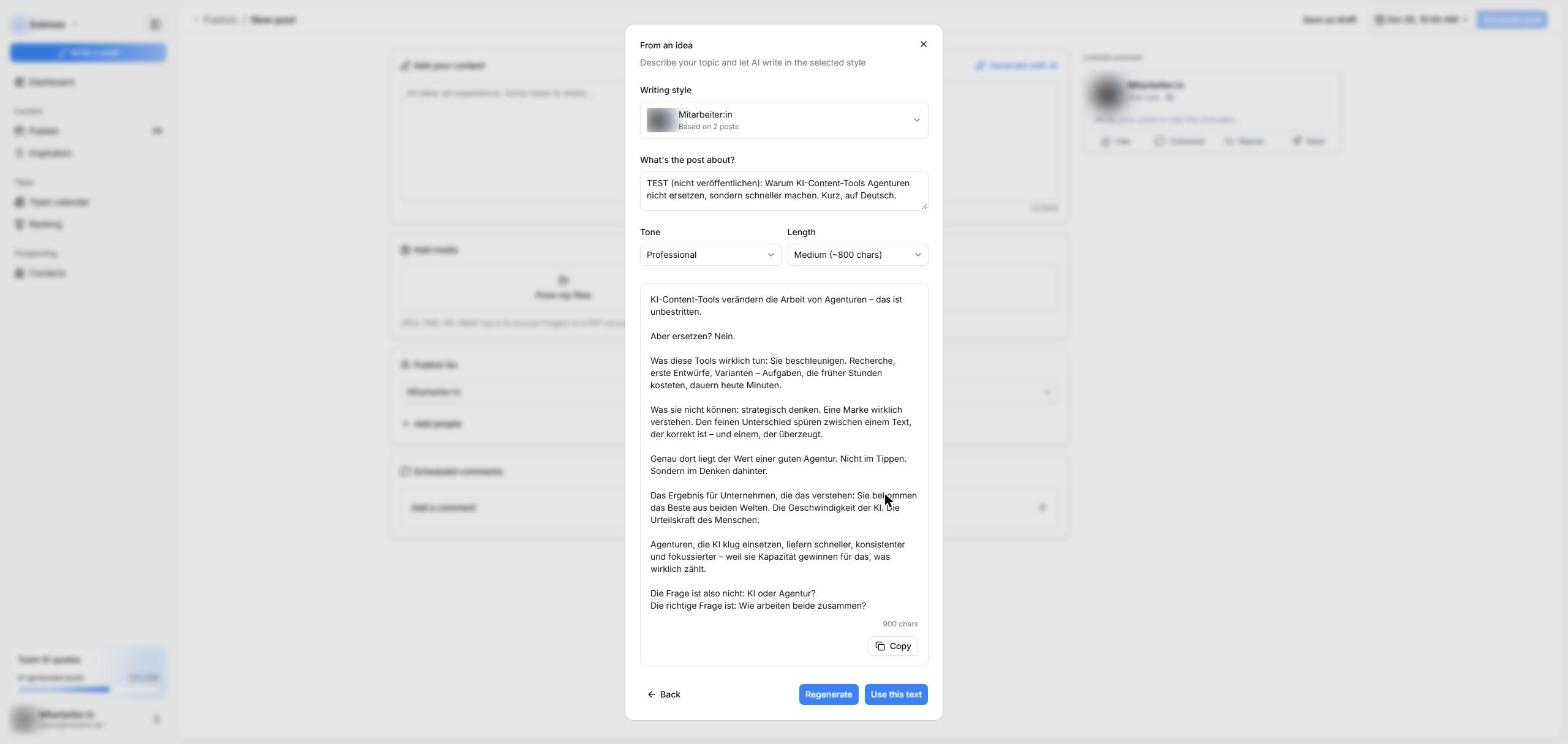
AI generator
Posts in your own writing style.
An idea or an article link becomes a finished draft. The AI learns from your own posts and writes the way you write.
- Start from an idea or a link
- Tone: informal, professional, storytelling or technical
- Short, medium or long
- Regenerate drafts or use them straight away
Editor
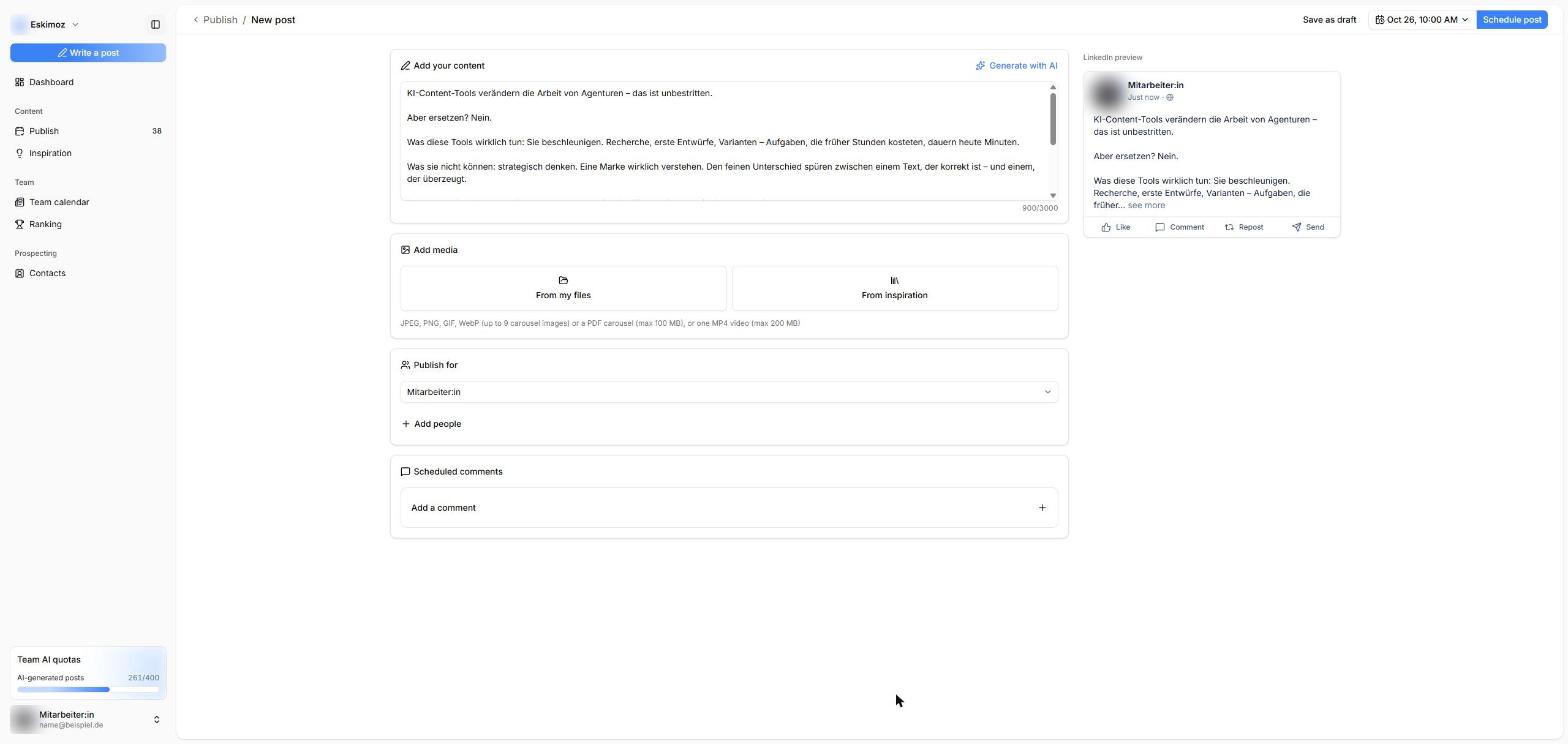
Write with a LinkedIn preview.
Text, images, carousels or video in one editor. The preview shows how the post will look on LinkedIn.
- Up to 9 images, a PDF carousel or a video
- Scheduled comments, for example with the link
- Prepare posts for colleagues too, with their approval
Planning
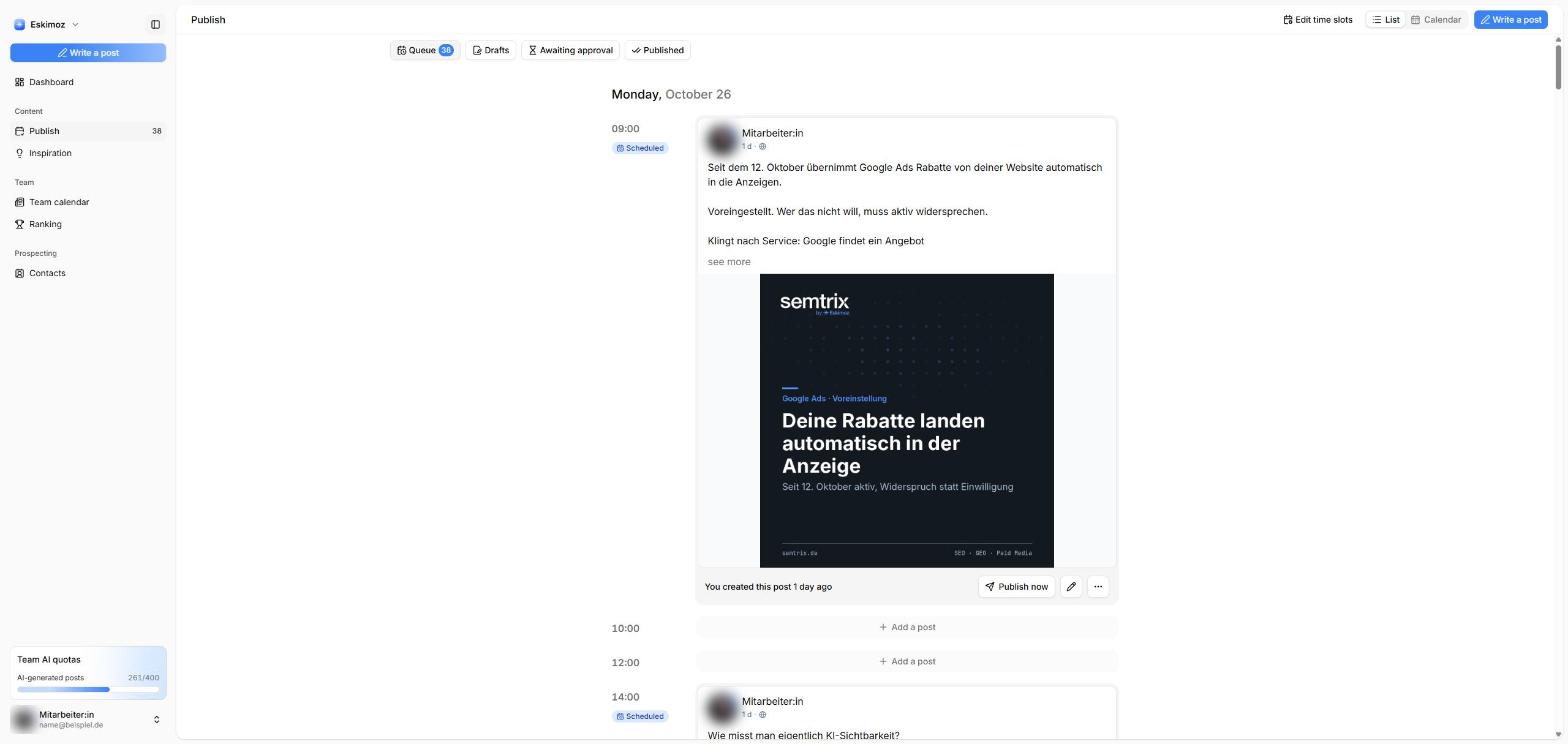
A queue for weeks ahead.
Everyone sets their own days and times. Posts fill the slots and go out automatically. After publishing you see impressions, reactions and comments.
- Queue, drafts, approvals and published
- List and calendar view
- Statistics for each post
Team
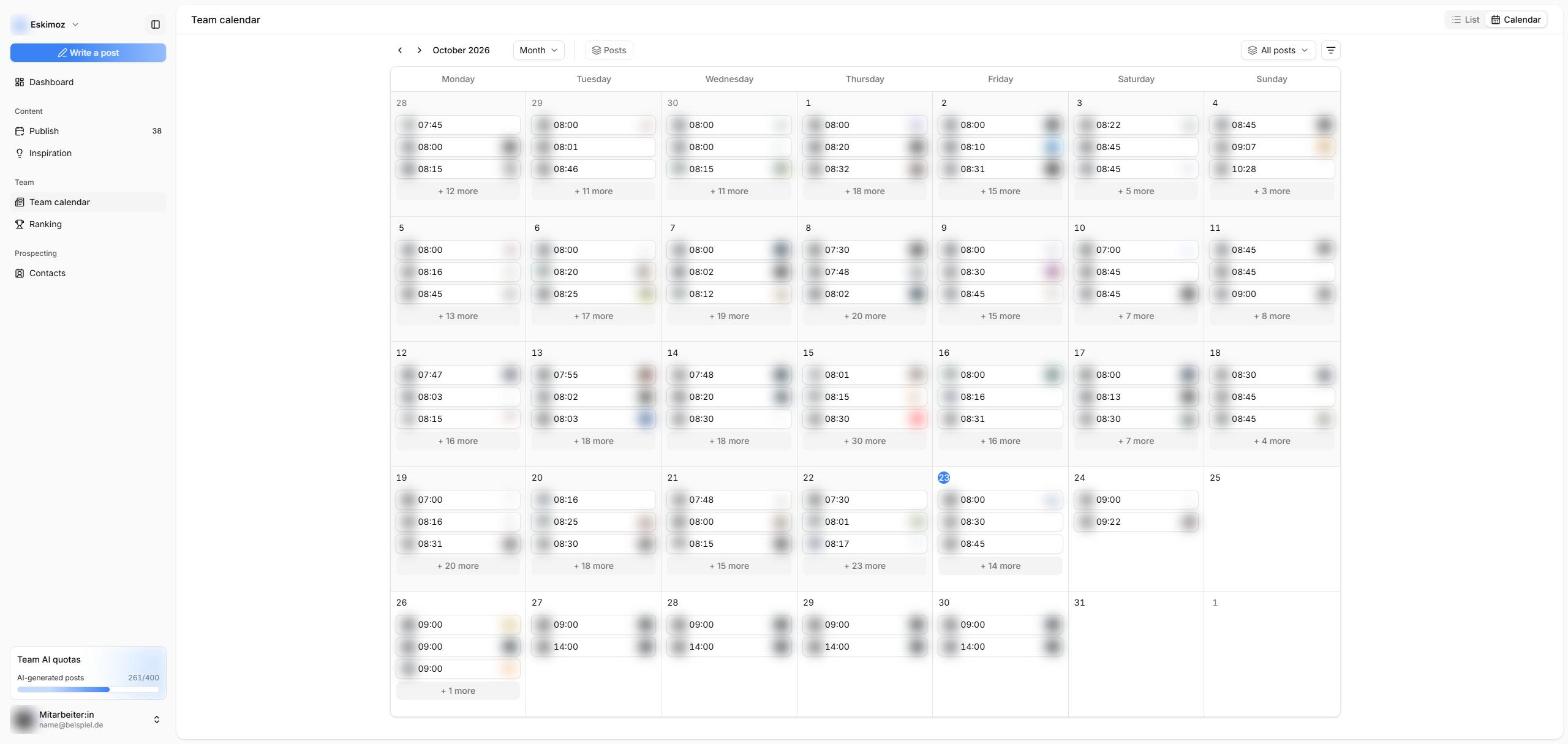
Every team post in view.
The team calendar shows who posts what and when. In the inspiration feed, strong posts from the team can be reused or rewritten in your own style.
- Shared calendar by month and week
- Inspiration from colleagues' posts
- Coordinate topics, avoid duplicates
Motivation
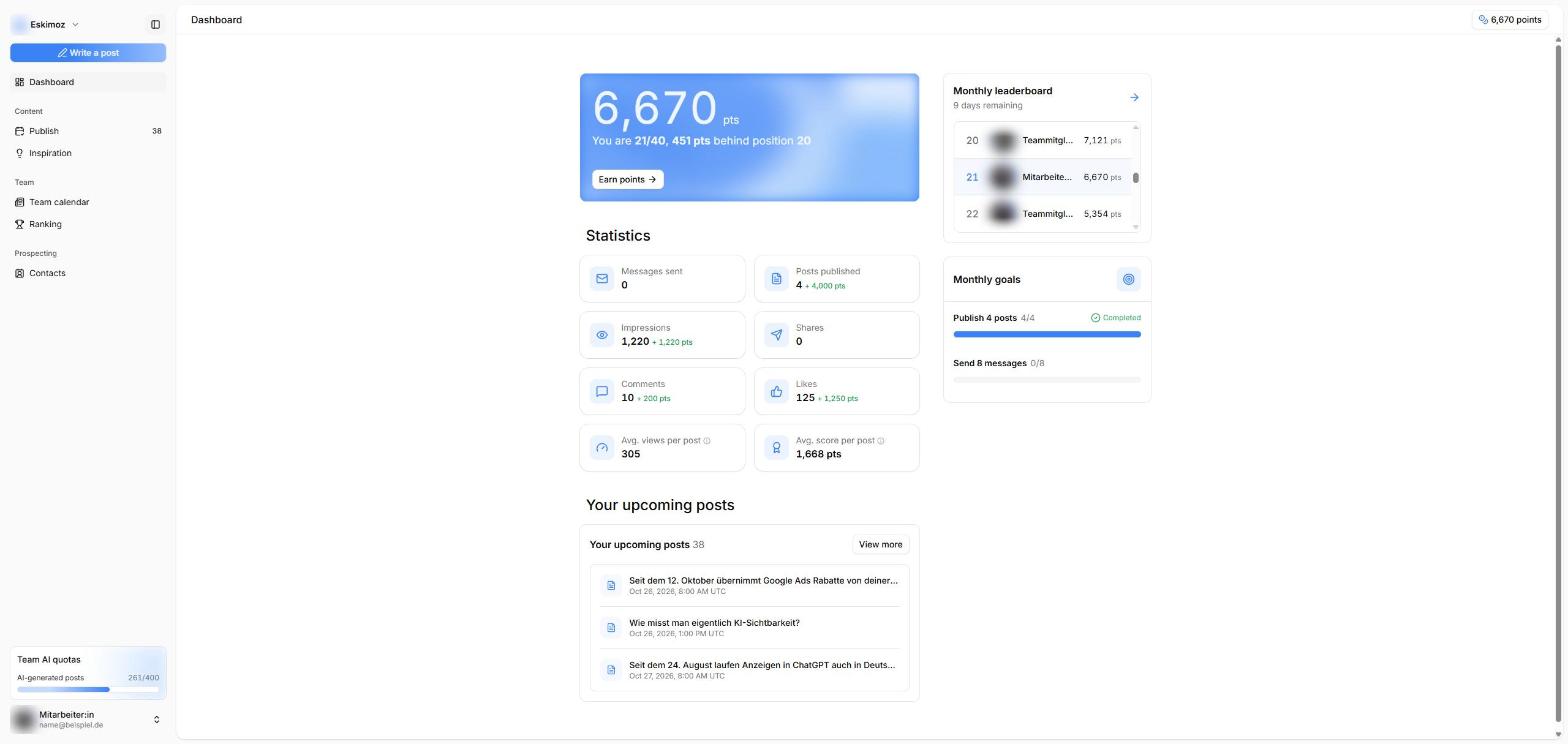
Points, goals and rankings.
Posts, reactions and conversations earn points. Monthly goals and a team leaderboard keep everyone engaged, with your own rewards if you like.
Prospecting
Contacts from engagement.
Anyone who engages with the posts lands in a contact list with job title and company, filtered by your target audience. Reach direct connections with message templates.
With Semtrix
How we get your team started.
Step 01
Set up
We set up your workspace and connect the participants' LinkedIn profiles.
Step 02
Plan topics
Together we define topics, cadence and guidelines so every voice stays authentic.
Step 03
Deliver content
Drafts and visuals, with Eskimoz Lab in your brand's design if you like.
Step 04
Evaluate
Reach, engagement and contacts in view, and the next editorial plan built from them.
FAQ
Frequently asked questions.
Let's talk about your team.
We'll show you Community live and plan your launch together.